

If you have any questions about payments, we’re here to help
Arrange an appointment for a non-binding consultation or if you have any questions, just give us a call.

header.search.error

Keep track of the status of your submitted invoices and claims via a central application and gain valuable insights through clear statistics.

Submit all invoices and claims in your preferred format. We support all standard invoice formats and we’re flexible.

Our application meets the highest security standards so you can carry out your transactions, worry-free.
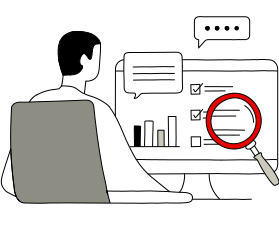
What you can use the invoicing portal for:
Check a person:
In the invoicing portal, under “Master data ”, select the option “Verify invoice recipient ”. Then enter the email address, bill recipient ID or UID to check if the person can already receive eBill invoices.

Check multiple people at the same time:
In the invoicing portal, open the “Master data ” option “Bulk-verify invoice recipients ”. Then upload a CSV file with all the persons to be checked.


Upload your invoices quickly, easily and without a specific software solution in all the formats we support.
Download processing logs, files with customer registrations or the current payment status.
In addition to manually uploading and downloading via the invoicing portal, other channels are also available to you through UBS digital invoice. Find all details at ubs.com/digital-invoice
In the invoicing portal, several charts are available that provide an overview of uploaded, incorrect or accepted invoices. You can retrieve detailed transaction views using drill-down functions. You can flexibly choose the time period between “Today”, “Last 7 days”, “Last 8 weeks” and “Last 6 months”.
Uploaded invoices:
Incorrect invoices:
Invoice acceptance:
Uploaded files:


The invoicing portal allows you to efficiently track the processing of submitted invoices. It supports uploading invoices in various formats, ensuring flexibility and user-friendliness. You can also download status files, eBill customer registrations and processing logs, as well as track the progress of your invoices.
Up to 12 users with individual user rights can be set up per invoice issuer.
Arrange an appointment for a non-binding consultation or if you have any questions, just give us a call.